Offer
What exactly can people book or buy?
Write one offer, one deadline, one capacity limit, and one call to action. This avoids confusing posts and duplicate messages.
Seasonal campaign archive
The 2026 World Cup has ended. This section is kept as an archive because the underlying workflows—offer setup, lead capture, reservations, reminders, and follow-up—can be reused for holiday campaigns, local events, sports promotions, product launches, and other short traffic spikes.
Pick the pain point
The risk is rarely the football theme itself. The risk is a busy week where orders, messages, and follow-up steps are scattered across too many places.
Use forms, booking tools, or payment links so match-day interest does not get buried in chat apps and email threads.
02Collect email signups and prepare simple reminders before the busy days arrive.
03Use a checklist so every signup, reservation, and lead has a next step before the campaign goes live.
Pre-event setup
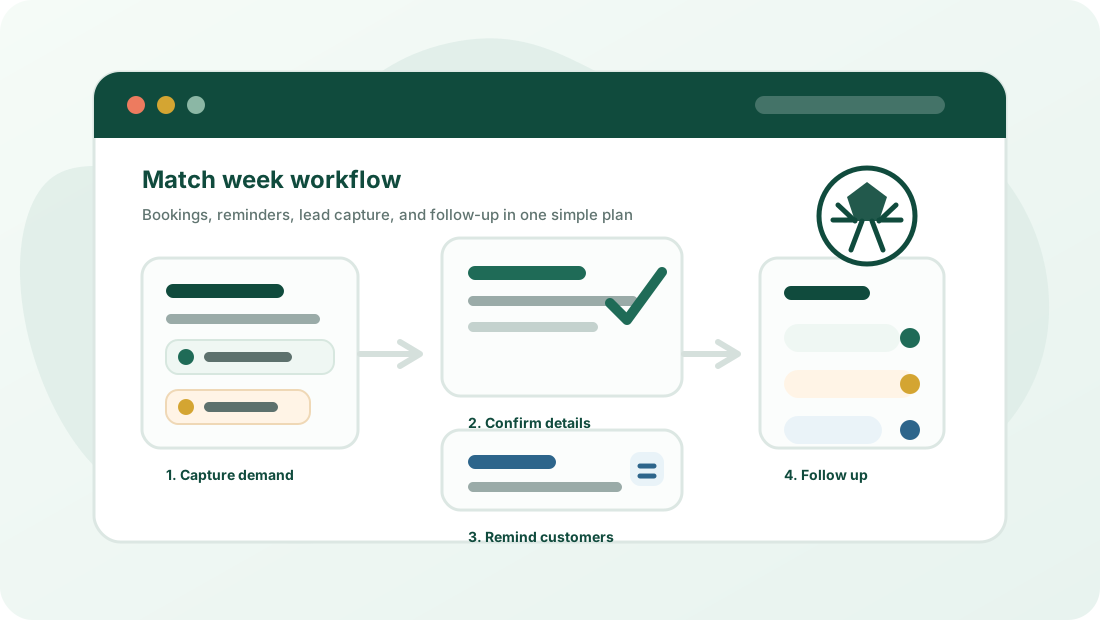
A small business campaign is easier to run when the owner can answer four questions before posting, emailing, or running ads.
Offer
Write one offer, one deadline, one capacity limit, and one call to action. This avoids confusing posts and duplicate messages.
Capture
Choose one form, booking page, or payment link. Do not split reservations across DMs, email, and handwritten notes.
Reminder
Prepare confirmation and reminder messages before the campaign starts, especially for bookings, pickups, seats, and local events.
Afterward
Send a useful follow-up, save the list, tag hot leads, and reuse the workflow for the next seasonal campaign.
Contingency plan
A good seasonal setup is not just a landing page. It also gives the owner and staff a simple answer when demand, timing, or customer behavior changes.
Capacity
Create a waitlist form, a backup time slot, or a follow-up offer before launch. Do not leave extra demand sitting in private messages.
Payment
Prepare one clear message with the payment link, deadline, and what happens if the customer does not complete payment.
Staff handoff
Write a short reply script, a status list, and a rule for when to escalate to the owner. This prevents different people giving different answers.
Post-event
Schedule the first follow-up email in advance and tag useful leads while the context is fresh, not two weeks later.
Workflow map
Keep the stack small enough to launch quickly, measure clearly, and reuse after the tournament or the next local event.
| Job | Tool category | Best first guide |
|---|---|---|
| Publish one clear offer | Landing page or website page | Promo tools guide |
| Prevent missed requests | Form builder, booking tool, or payment form | Booking tools guide |
| Reduce manual reminders | Email marketing tool | Email list guide |
| Avoid post-event rework | CRM or spreadsheet | Marketing checklist |
Read next
Checklist
Plan reservations, reminders, follow-up, and repeat visits without inventing a huge campaign system.
Email list
Collect emails responsibly and keep the list useful after the seasonal attention fades.
Reservations
Choose between a form, scheduling tool, ticketing setup, or payment link based on real capacity.
Promo stack
A lean stack for landing pages, forms, email, CRM, and payment links.